Software & Tutorials
Photo & Graphics Software
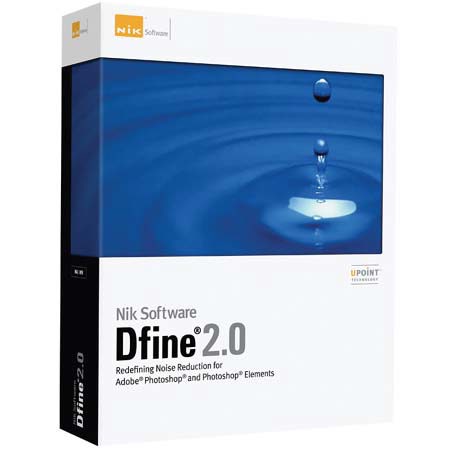
Nik Software Dfine 2.0 Plug-in Software, Image editing
Nik Software

Nik Software Dfine 2.0, Plug-in Software for Image Editing Programs like Photoshop, for Macintosh & Windows.--64 BIT UPDATES ARE NOW AVAILABLE FOR FREE DOWNLOAD

SKU: ISWNIK2122 MFR: NIK2122
Why Adorama?
Easy Returns, Fast Shipping, Trusted for over 35 years.

Need help? Call 800-223-2500 / 212-741-0052

$69.00 Special Price Available
Free shipping
Qty:

Add to Wishlist

About this item

Please Note All Software cannot be returned or exchanged.

Best-in-class noise reduction to improve the quality of virtually every photo. Features new U Point technology for unprecedented selective control

What is Noise?
Virtually, all digital cameras inherently create unwanted imperfections known as noise. The amount or type of noise in an image typically depends on the quality and type of imaging sensor with which it was created.

Contrast (Luminance) Noise and Color (Chrominance) Noise can be individually present in an image or might be seen in the same image. Fast or high ISO speeds and low light levels can add noise to images, while some images might exhibit high levels of JPEG artifacts.

Introducing Dfine 2.0
Dfine 2.0 gives you unprecedented control over exactly how much and where to apply noise reduction. This makes it ultra-easy to eliminate noise in your images while maintaining detail and sharpness, thus improving the quality of every digital photo you take. Dfine 2.0 is designed to prevent the loss of detail other noise reduction tools often introduce.


Summary of Customer Reviews

(6)
Customers most agreed on the following attributes:
Pros:
Accurate colors (4) , Easy to collaborate across programs (4) , Easy to navigate (4) , Versatile (4) , Easy to customize (2) , Easy to use (1) , Fast (1) , It works (1) , Reliable (1)
Cons:
Bulky packaging (1) , No cons (1)
Best Uses:
Professional quality (3) , Any digital photograph (1) , Educational purposes (1)
Reviewer Profile:
Quality oriented (6)

Key Features

  • U Point Technology One of the hottest technologies in digital photography today, U Point technologypowered Control Points have been added to Dfine 2.0 making it easy to reduce noise only where it is needed, maintaining details everywhere else.
  • Selectively Apply Noise Reduction The Control Point and Color Range methods, along with the Selective Tool offer you the most advanced ways for selectively applying noise reduction to your images
  • New and Improved Noise Reduction Engine with Automatic Profiling Dfine 2.0 contains a brand new reduction engine that provides best-in-class noise reduction while retaining an incredible amount of detail.

  • Improved User Interface The new resizable interface lets you easily incorporate noise reduction into your workflow and quickly preview the results from the noise reduction applied.